
Turn completed delivery work into a defensible sign-off record.
Customer acceptance should be based on the deployment record already created during execution—not a last-minute reconstruction of test files, issue lists and equipment data.
Review readiness
Before acceptance, review the system’s testing state, open issues, approvals and required documentation. If an issue remains open but does not prevent operational use, record it clearly as an exception rather than allowing it to disappear from the sign-off record.
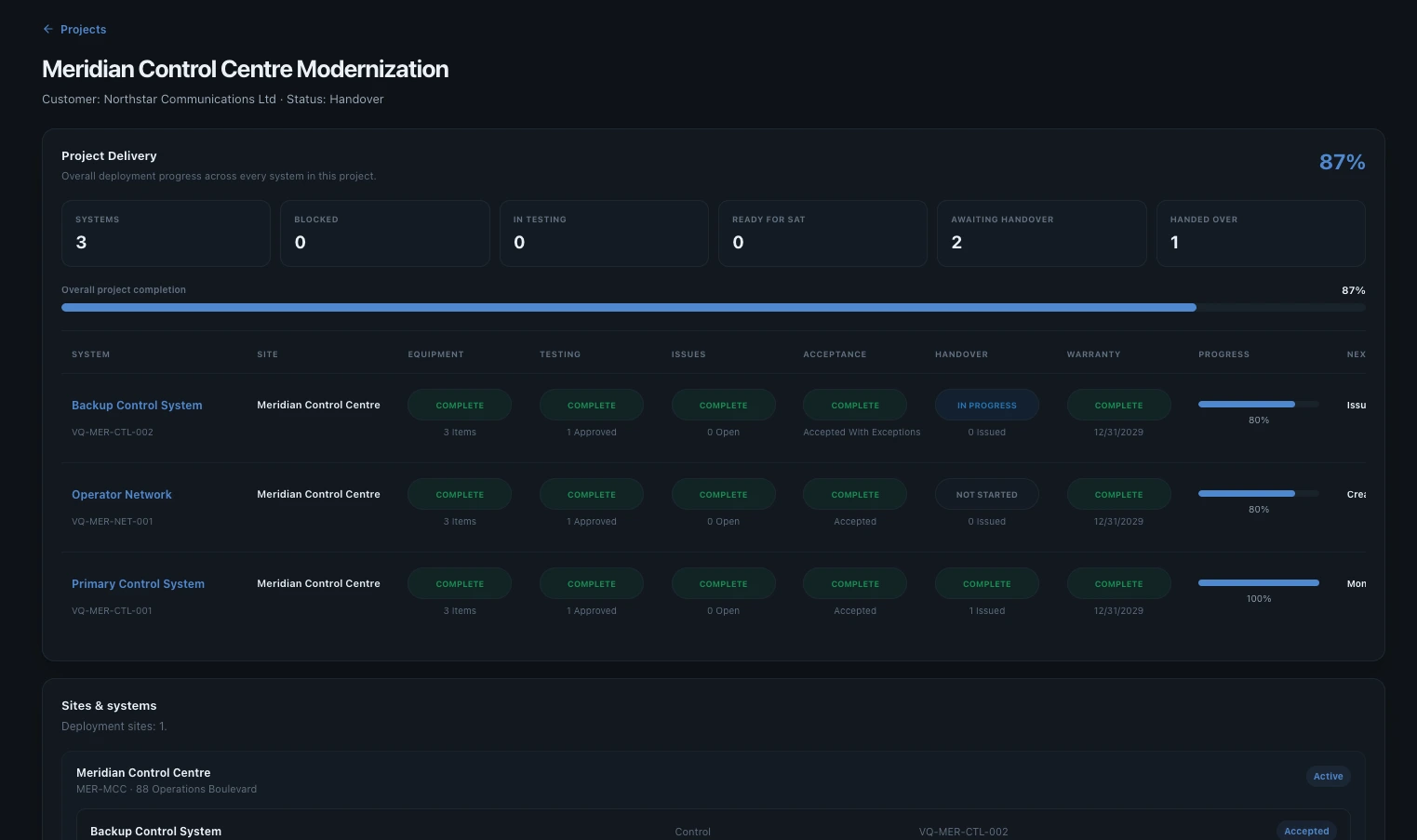
Accepted with exceptions
Use an accepted-with-exceptions path when both parties agree that the system can be accepted while identified work remains outstanding. Describe the exception precisely enough that ownership and later closure remain clear.
help-acceptance-exception.webphelp-acceptance-exception.pngCreate the handover package
The handover package should consolidate the evidence generated during delivery: system and equipment information, test reports, issue/remediation history, acceptance information and supporting documents.
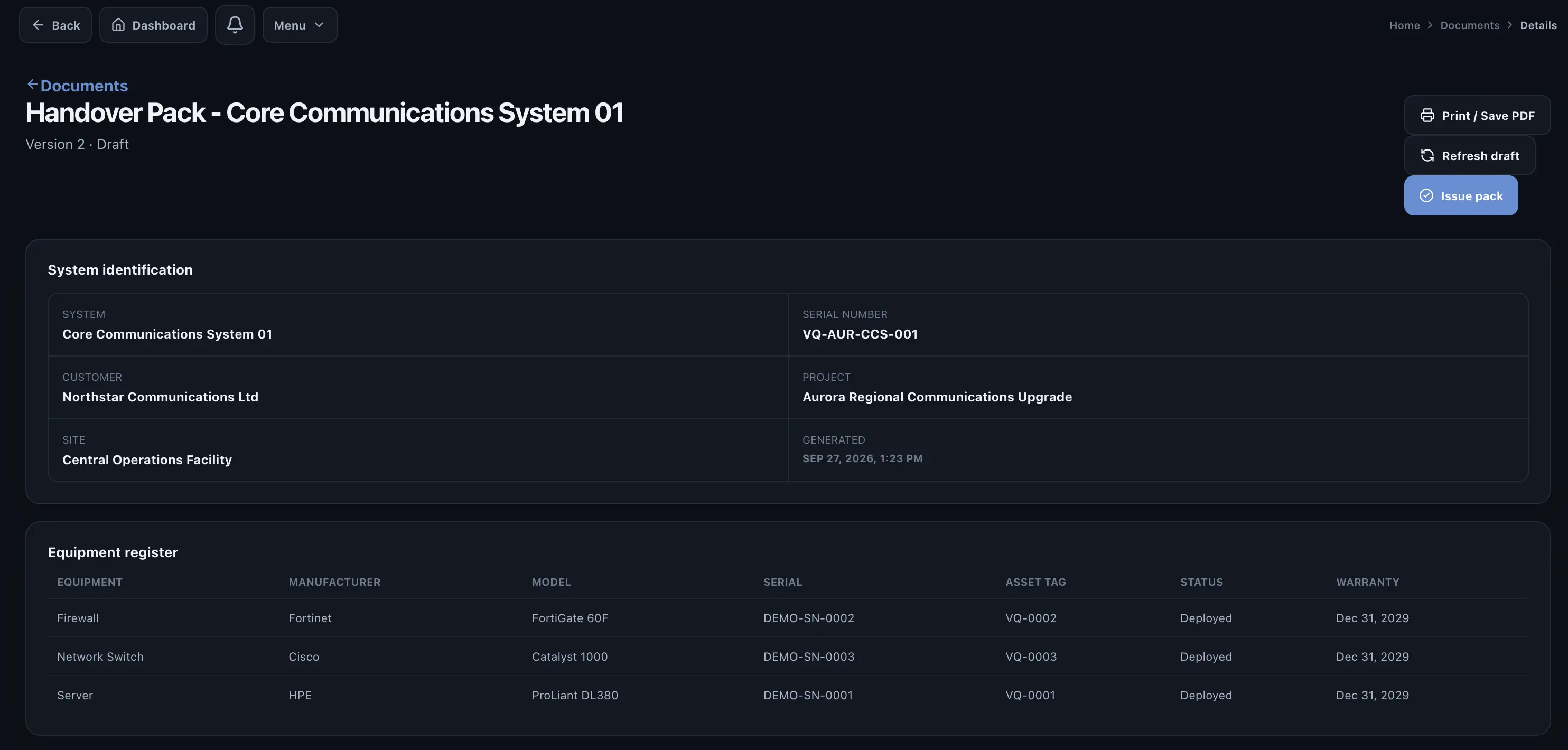
Before issuing the package
- Confirm the system and site are correct.
- Confirm the required FAT, SAT and commissioning records are included.
- Review unresolved issues and accepted exceptions.
- Check customer acceptance information.
- Verify the supporting documents and package version.