A controlled path to completion

Every stage stays connected.

Valtoroq keeps the handoffs between field work, engineering, QA, project management and customer acceptance visible. Here is what that looks like during a real technical deployment.

Example workflow

A deployed communications system moves from project setup to customer handover.

The exact tests and approval rules can differ by customer. The important part is that the records do not become disconnected as responsibility moves between teams.

01

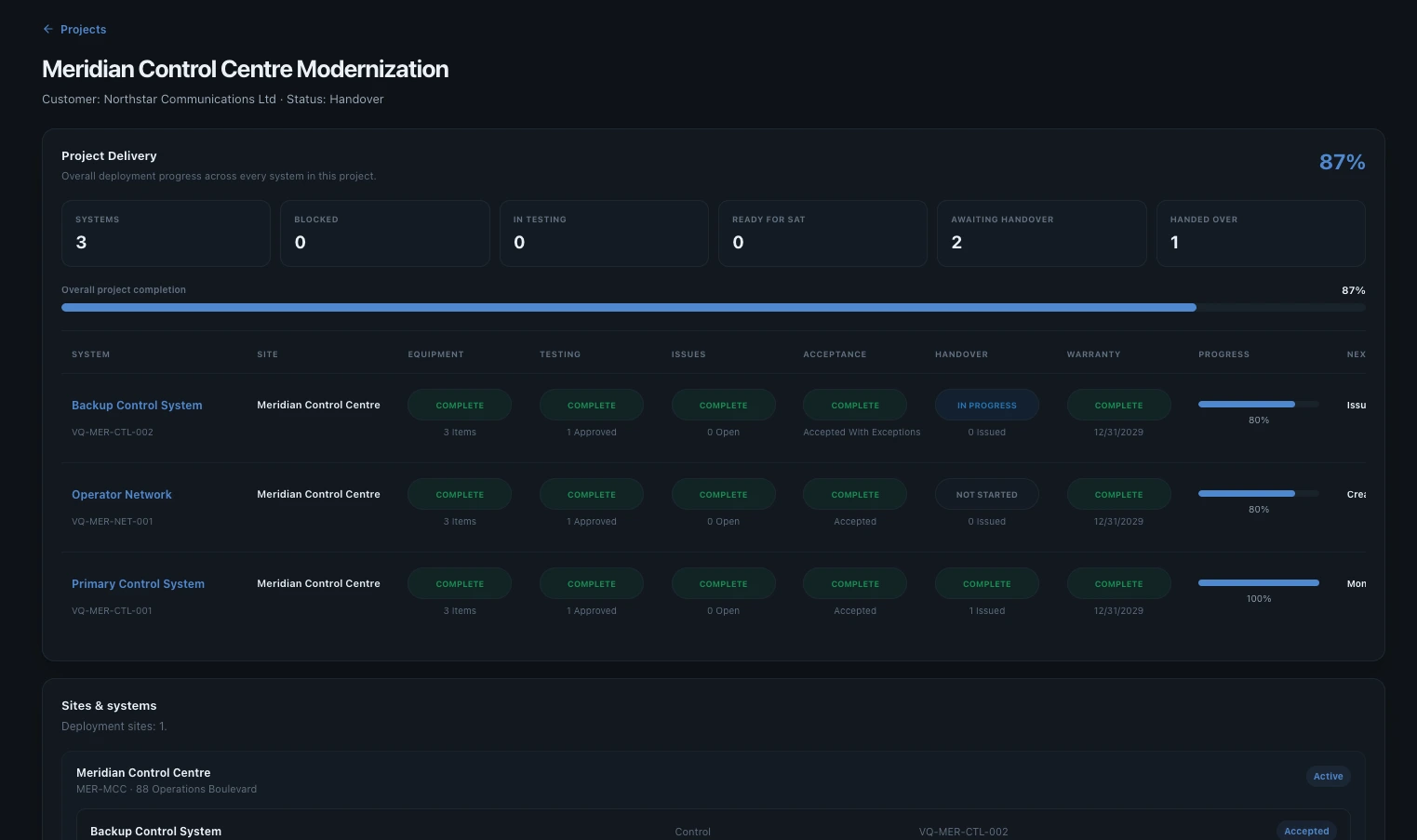
Plan the deployment

Create the customer and project once, then model the sites and systems that will actually be delivered. This becomes the operational structure used by engineering, QA, project management and customer acceptance instead of recreating project context in separate spreadsheets and folders.

  • Customer and project ownership
  • Multiple deployment sites
  • System-level delivery status
  • One shared project structure
Valtoroq project view showing a customer deployment with sites and systems
01 — Plan the deployment
02

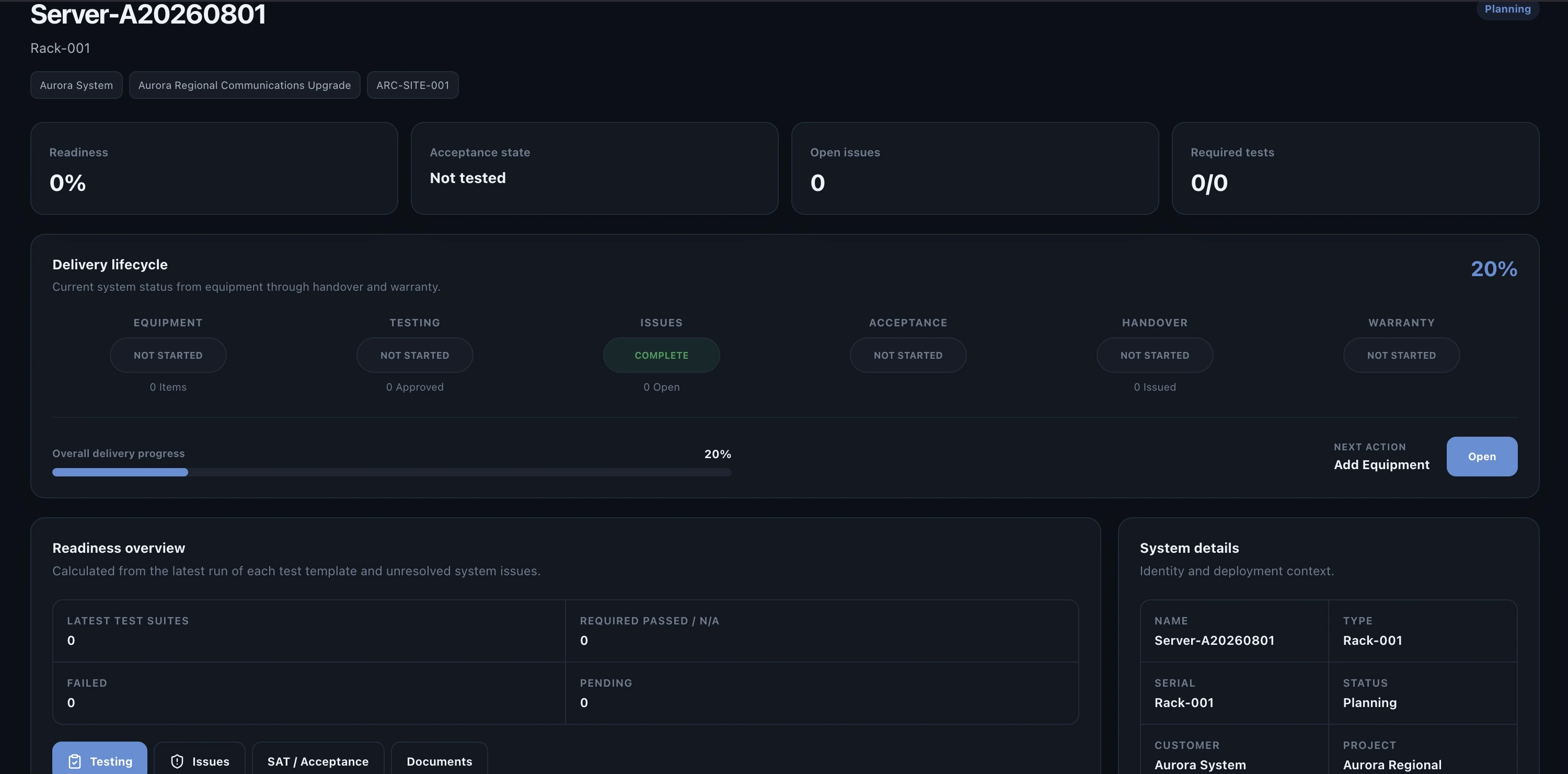
Deploy and identify each system

Each deployed system has its own record. Teams can see the system identity, equipment, site, deployment state and readiness information before testing starts. That makes later FAT, SAT, commissioning and issue records traceable to the exact system they prove.

  • System identification
  • Equipment assignment
  • Site and project context
  • Readiness visibility
Valtoroq system detail showing deployed system information and equipment
02 — Deploy and identify each system
03

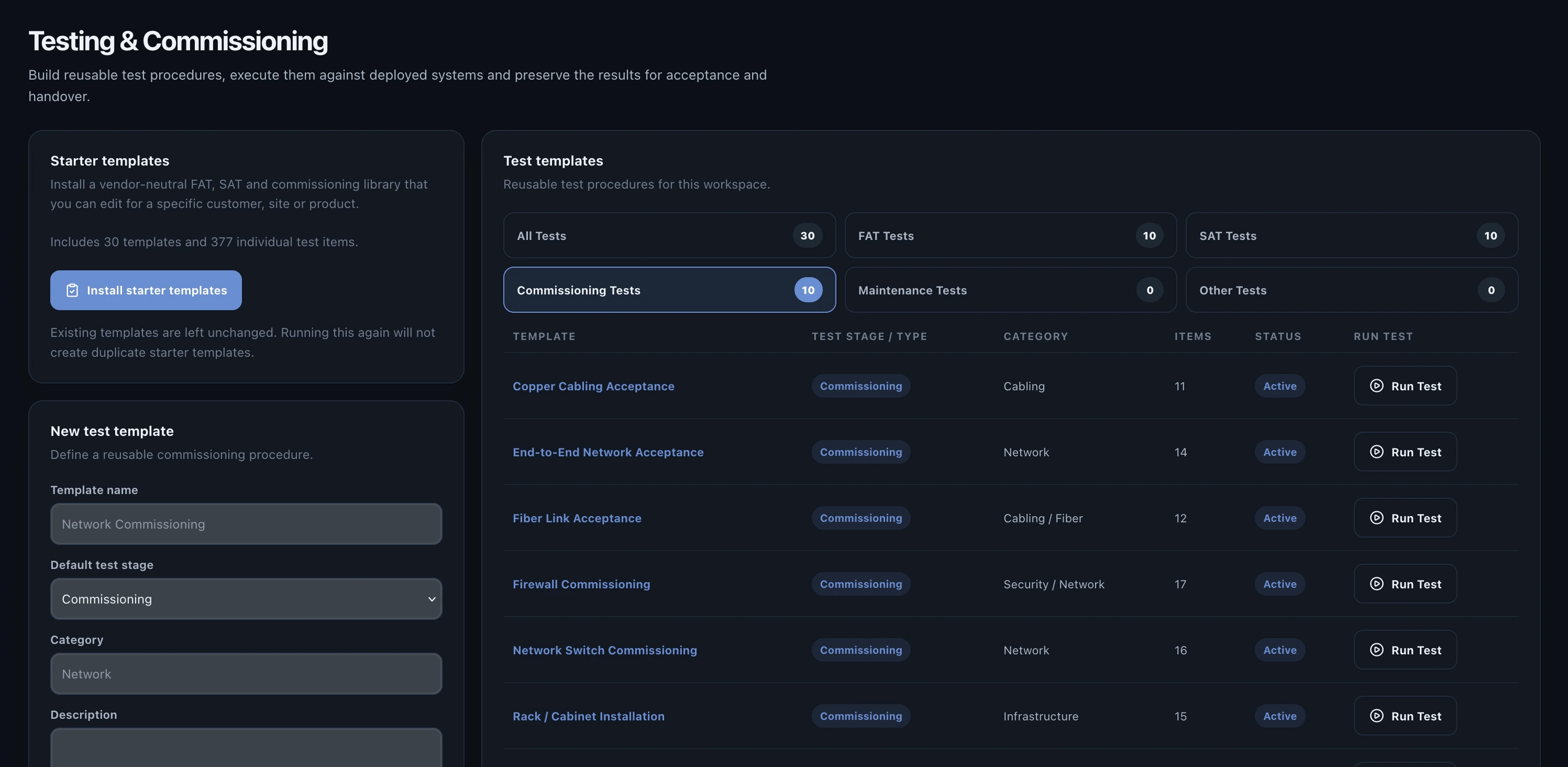
Execute FAT, SAT and commissioning

Select controlled test templates and run them against a specific deployed system. Factory testing, site acceptance and commissioning stay part of the same technical record rather than becoming isolated documents with no reliable link back to the deployment.

  • Reusable test templates
  • FAT, SAT and commissioning stages
  • Measured results and evidence
  • Controlled test history
Valtoroq testing library showing FAT SAT and commissioning tests
03 — Execute FAT, SAT and commissioning
04

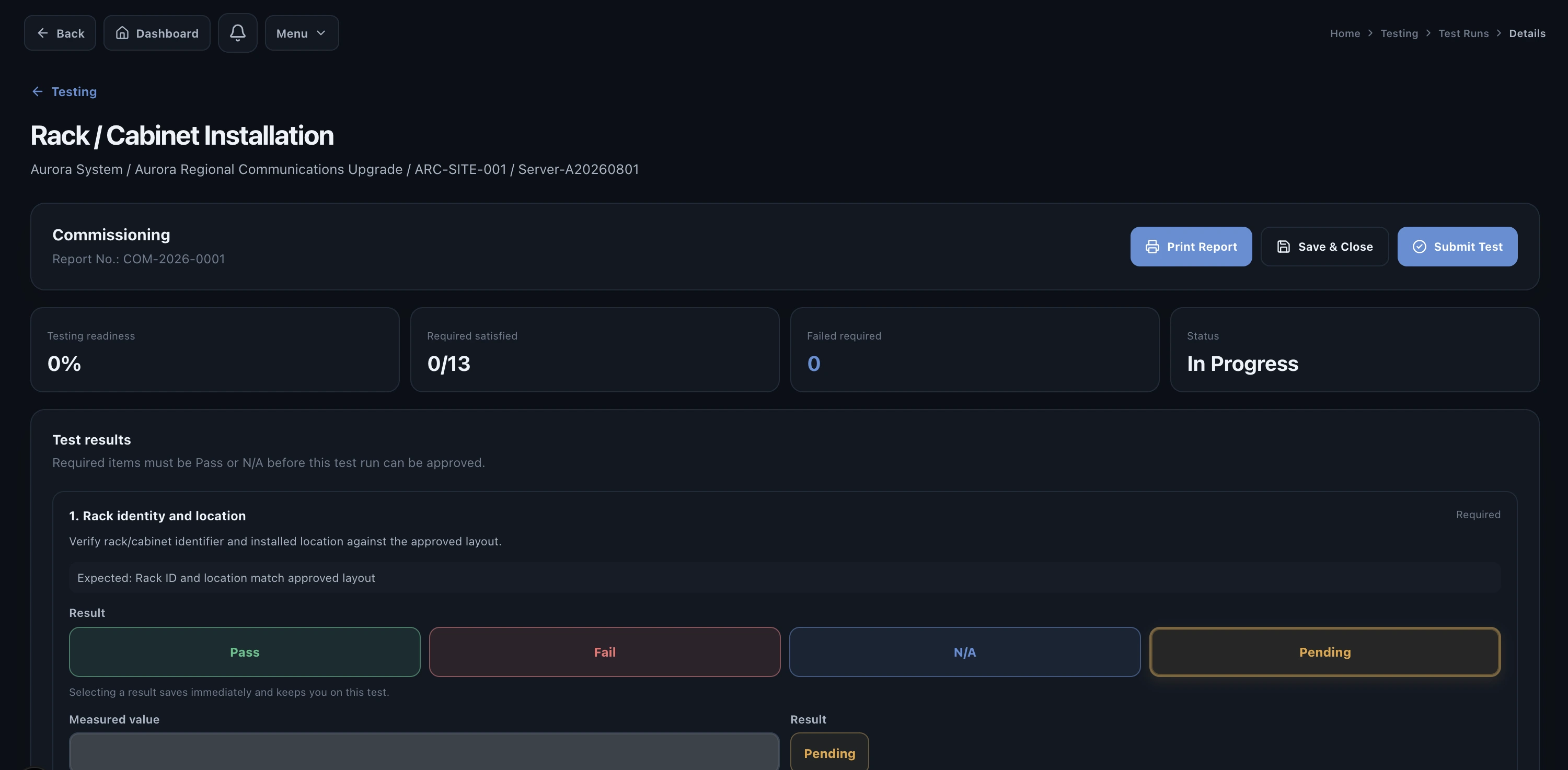
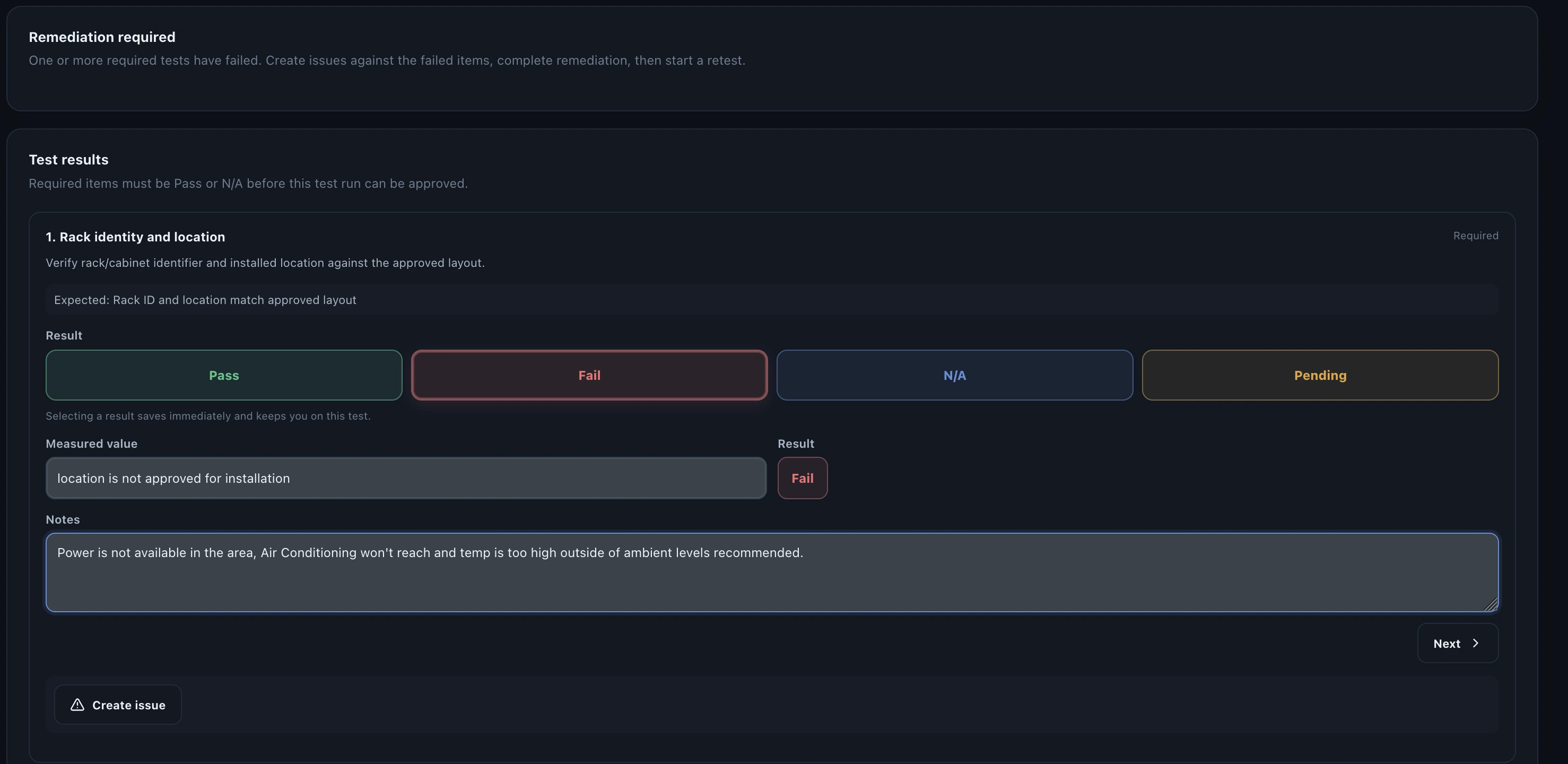
Capture failures where they happen

A failure is recorded in the test run with the expected result, measured result, notes and evidence. The team can immediately see that the system is not yet ready without waiting for a separate defect spreadsheet to be updated.

  • Pass/fail results
  • Expected versus measured values
  • Engineering notes
  • Visible readiness impact
Valtoroq test run showing a failed test item
04 — Capture failures where they happen
05

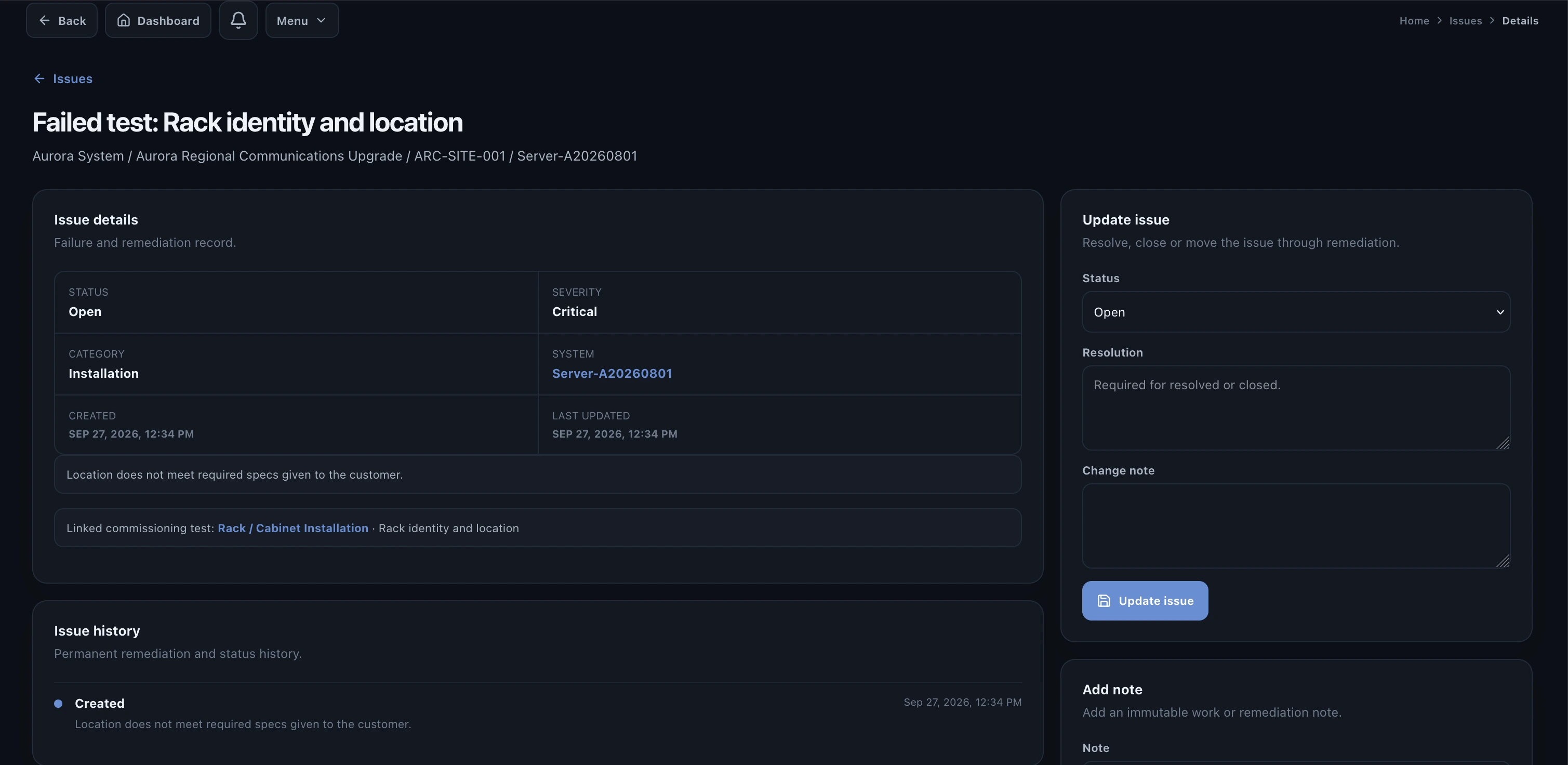
Resolve the issue without losing the test context

Create and assign the remediation record from the failure. Corrective action, ownership, status and retest information remain linked to the system and the original test so the path from problem to resolution is preserved.

  • Issue ownership
  • Corrective action
  • Resolution history
  • Retest traceability
Valtoroq issue remediation page connected to a failed test
05 — Resolve the issue without losing the test context
05.1

Keep remediation evidence together

The expanded issue record gives engineering and project teams the detail needed to understand what failed, what changed, who owns the action and whether the fix has been verified. That reduces status chasing across email and chat.

  • Detailed issue record
  • Status and responsibility
  • Technical resolution notes
  • Linked verification
Detailed Valtoroq issue view showing remediation information
05.1 — Keep remediation evidence together
06

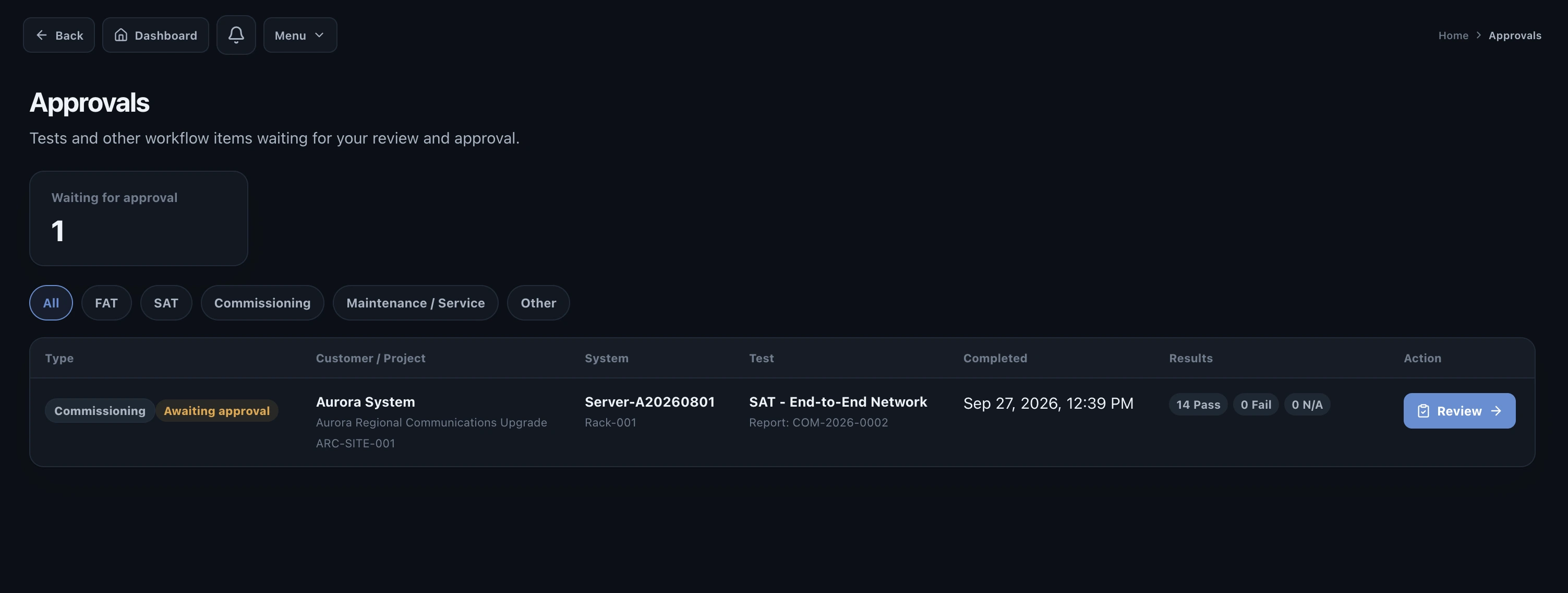
Submit completed work for approval

Completed testing is submitted to the people authorized to approve it. Approvers see the result in its system context, including related issues and evidence, rather than approving a detached PDF with limited operational context.

  • Pending approvals
  • Role-controlled approval
  • Evidence retained with the test
  • Approval history
Valtoroq approvals view showing work awaiting approval
06 — Submit completed work for approval
07

Record customer acceptance

When the system is ready, acceptance brings together test status, outstanding exceptions and sign-off information. Accepted-with-exceptions scenarios can remain visible instead of disappearing into meeting notes or informal email approvals.

  • Acceptance readiness
  • Customer sign-off
  • Exceptions and open items
  • Recorded acceptance date
Valtoroq customer acceptance record
07 — Record customer acceptance
08

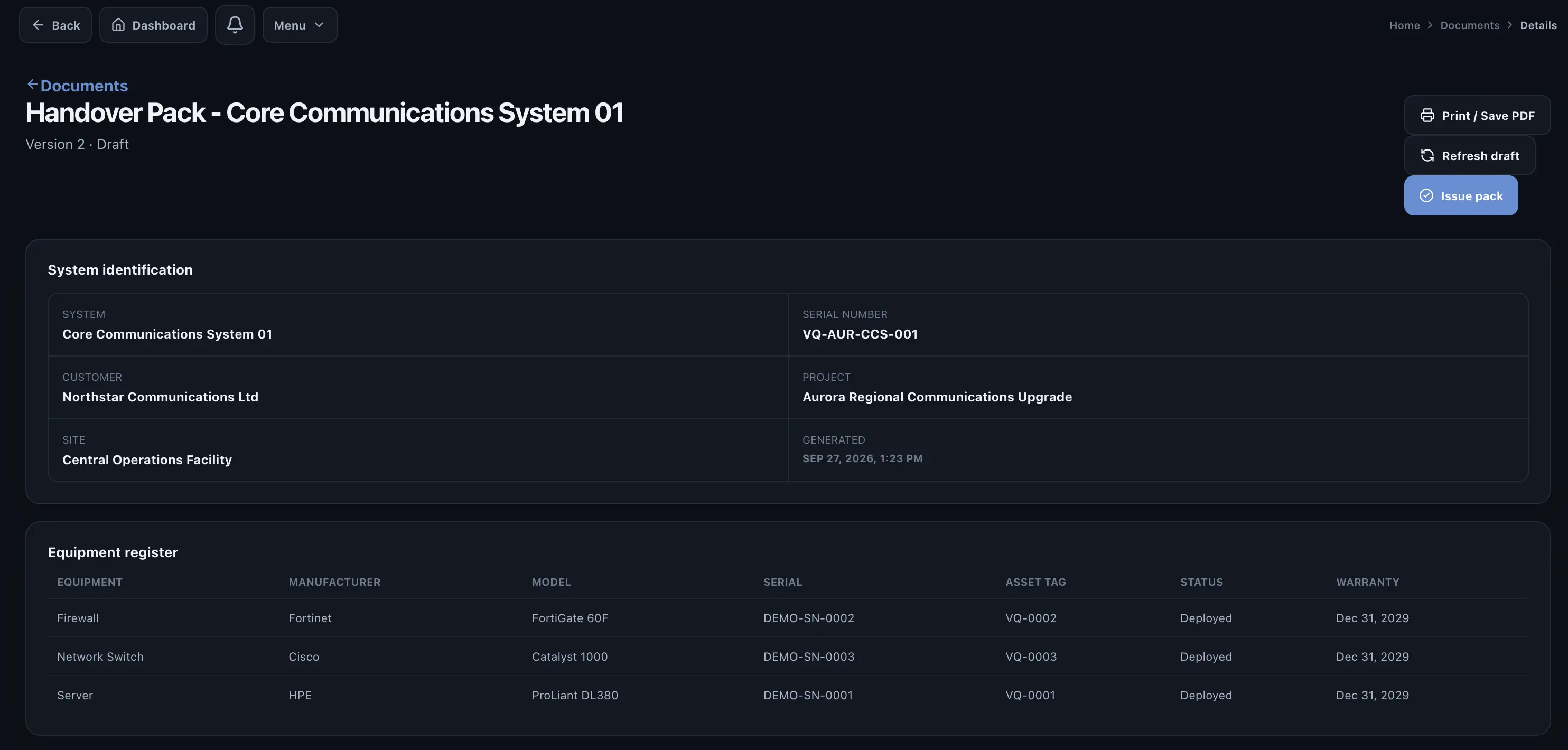
Build the handover from the record you already created

Handover is assembled from the controlled records generated during delivery: systems, equipment, testing, issues, acceptance and supporting documents. Teams spend less time reconstructing the project at the end because the evidence was created as the work happened.

  • Test reports
  • Equipment and system records
  • Acceptance evidence
  • Supporting project documents
Valtoroq handover package containing deployment records
08 — Build the handover from the record you already created
See the full process

Use the Help Center to see how each workflow is configured and operated.

The product workflow explains why the stages connect. The Help Center shows customers how to perform the work.

Open Help Center