
From failed test to closed issue: building a traceable remediation loop
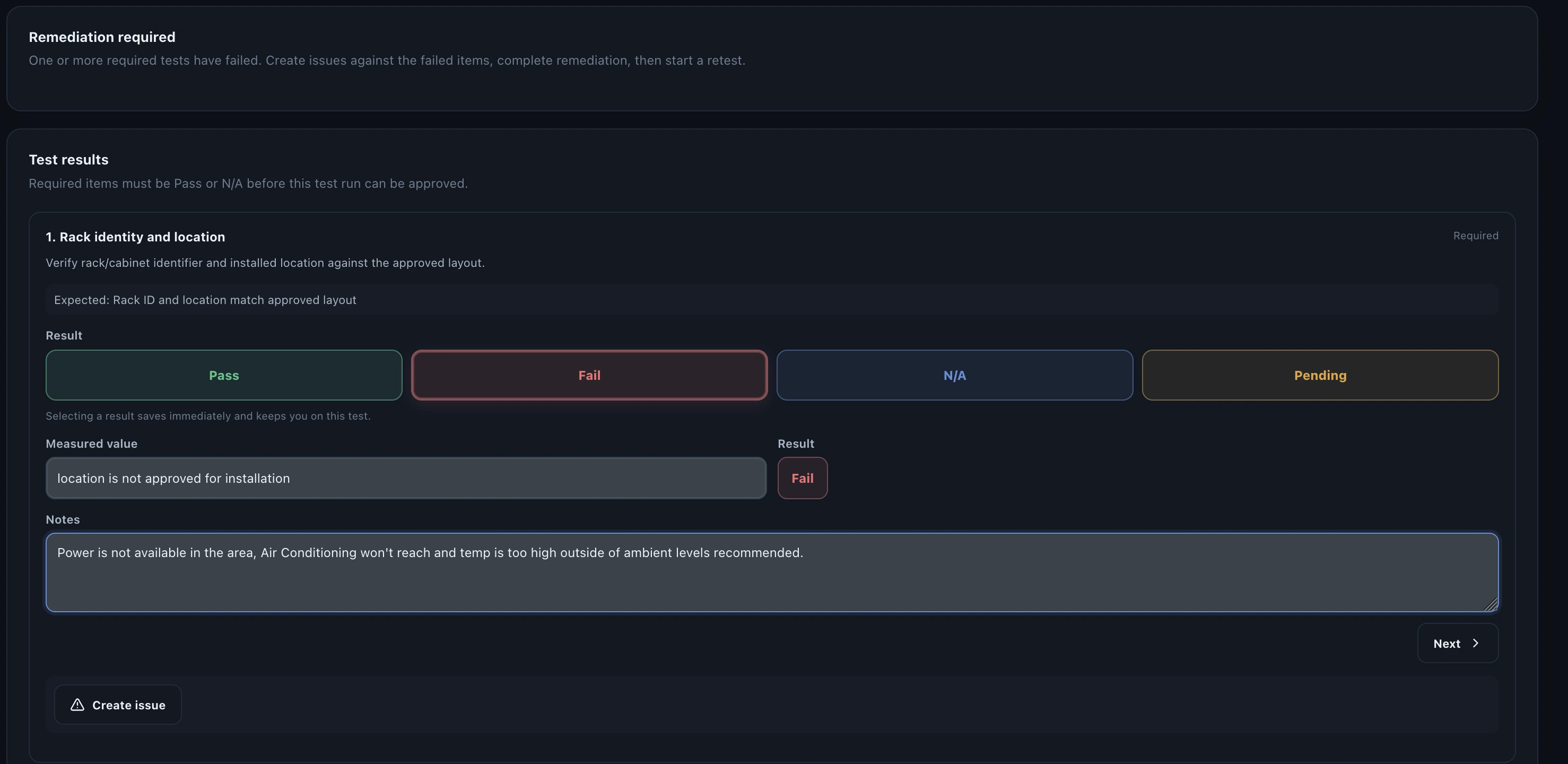
A failed test is useful information. It tells the team that a requirement was not satisfied under the conditions in which it was tested. The problem begins when that result is separated from the work required to correct it. A spreadsheet row marked Fail, a defect in another tool and a retest recorded somewhere else create three records that somebody must later reconcile.
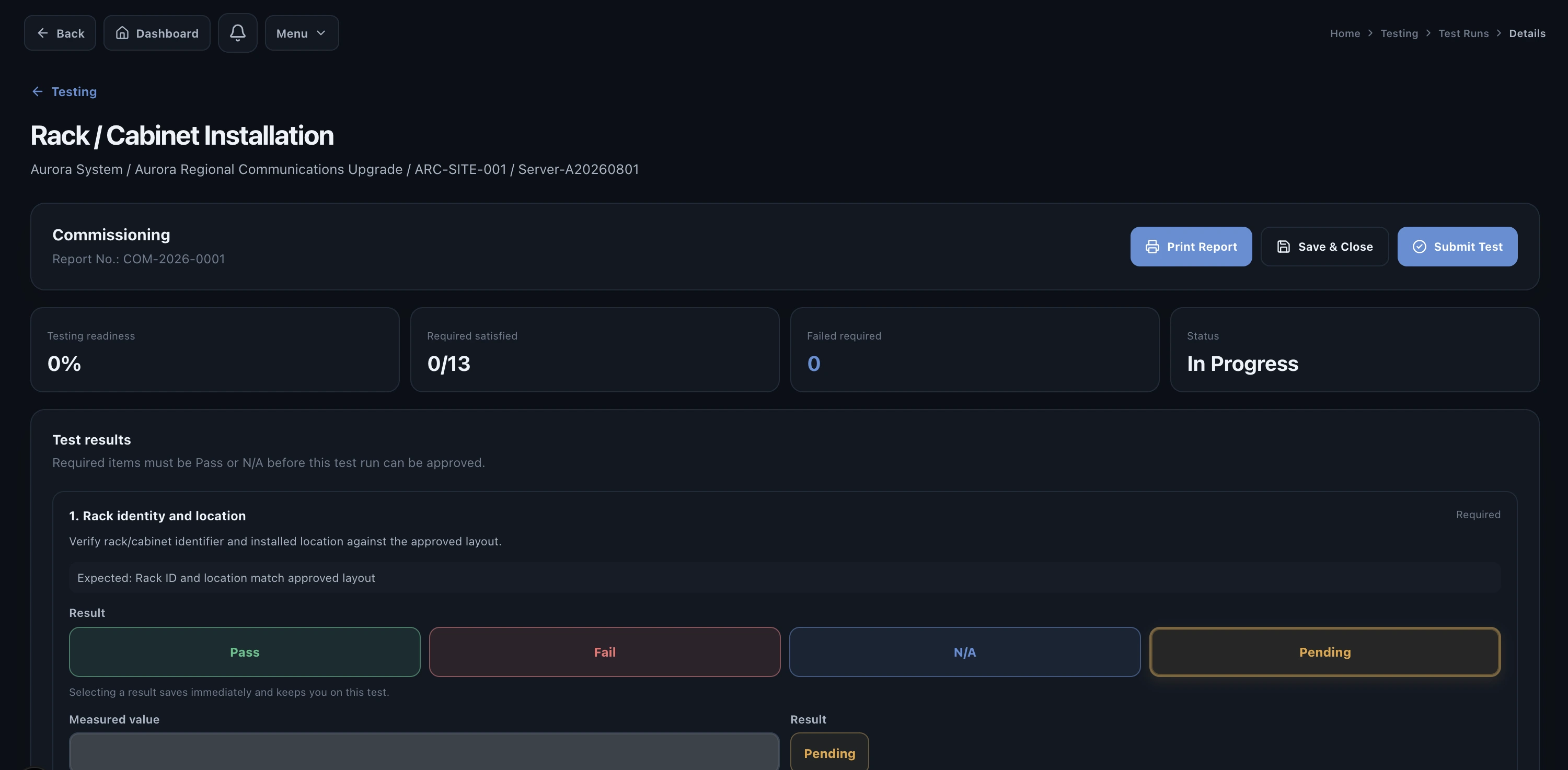
Failure needs context
The failed result should retain the conditions under which it occurred: the project, site, system, test procedure, test step, evidence and operator. Without that context, the issue becomes a generic defect description and the person assigned to resolve it has to rediscover what happened.
Create an issue without losing the test
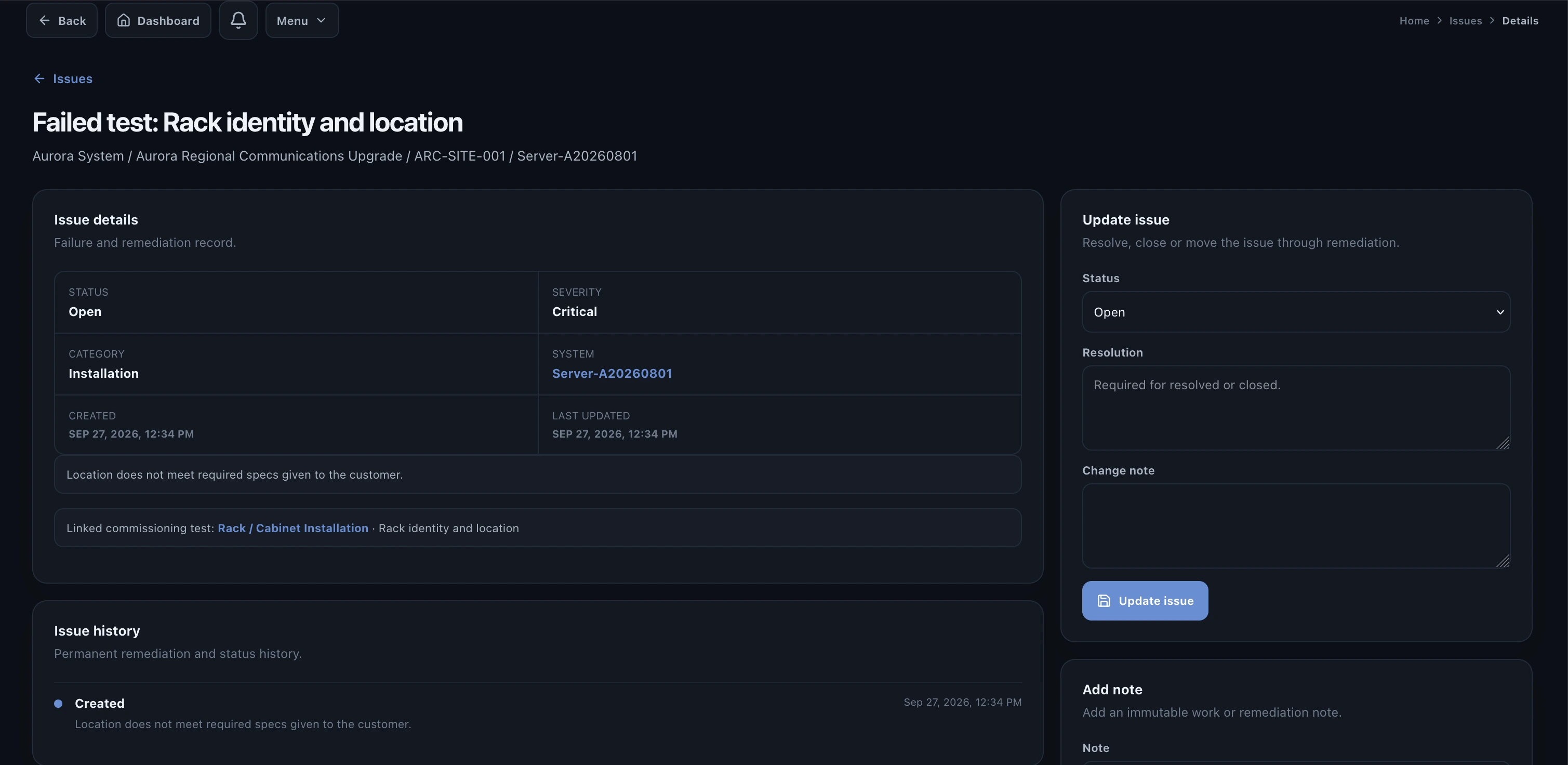
Once a failure requires corrective action, the issue should become the operational container for remediation while still pointing back to the test. It needs an owner, a clear status, a description of the observed problem and enough information for another engineer to understand the failure.
- System and site where the failure occurred.
- Test or requirement that failed.
- Observed result and supporting evidence.
- Severity or operational impact.
- Responsible person or team.
- Corrective action and resolution notes.
- Retest requirement and closure status.
Resolution is evidence, not just a status
A useful issue history explains what was done. That might include replacing hardware, changing a configuration, correcting a cable, updating firmware or modifying an installation. The resolution record should contain the information necessary to understand why the team believes the failure has been addressed.
Retest closes the technical loop
The most common weakness in defect tracking is treating 'Resolved' as proof. It is not. A technician may have completed corrective work, but the project still needs to demonstrate that the original requirement now passes. The retest is what converts a proposed resolution into verified remediation.
- Fail
Record the original result without overwriting it.
- Issue
Create and assign the corrective-action record.
- Resolve
Document the work performed and attach supporting evidence.
- Retest
Run the affected requirement again and preserve the new result.
- Approve
Allow the appropriate reviewer to confirm the loop is complete.
Why this matters at acceptance
When a customer asks about a failed SAT result, the team should not have to explain the story verbally. The record should already show the failure, issue, remediation, retest and final status. That traceability protects both sides because the accepted state is supported by evidence rather than memory.
How Valtoroq handles remediation
Valtoroq keeps issue management inside the delivery workflow. A failure can remain associated with the system and testing context while the team assigns corrective work, records resolution details and progresses the record toward retest and approval. That removes the need to maintain a separate defect spreadsheet alongside the test procedure.