
Customer acceptance without the last-minute scramble
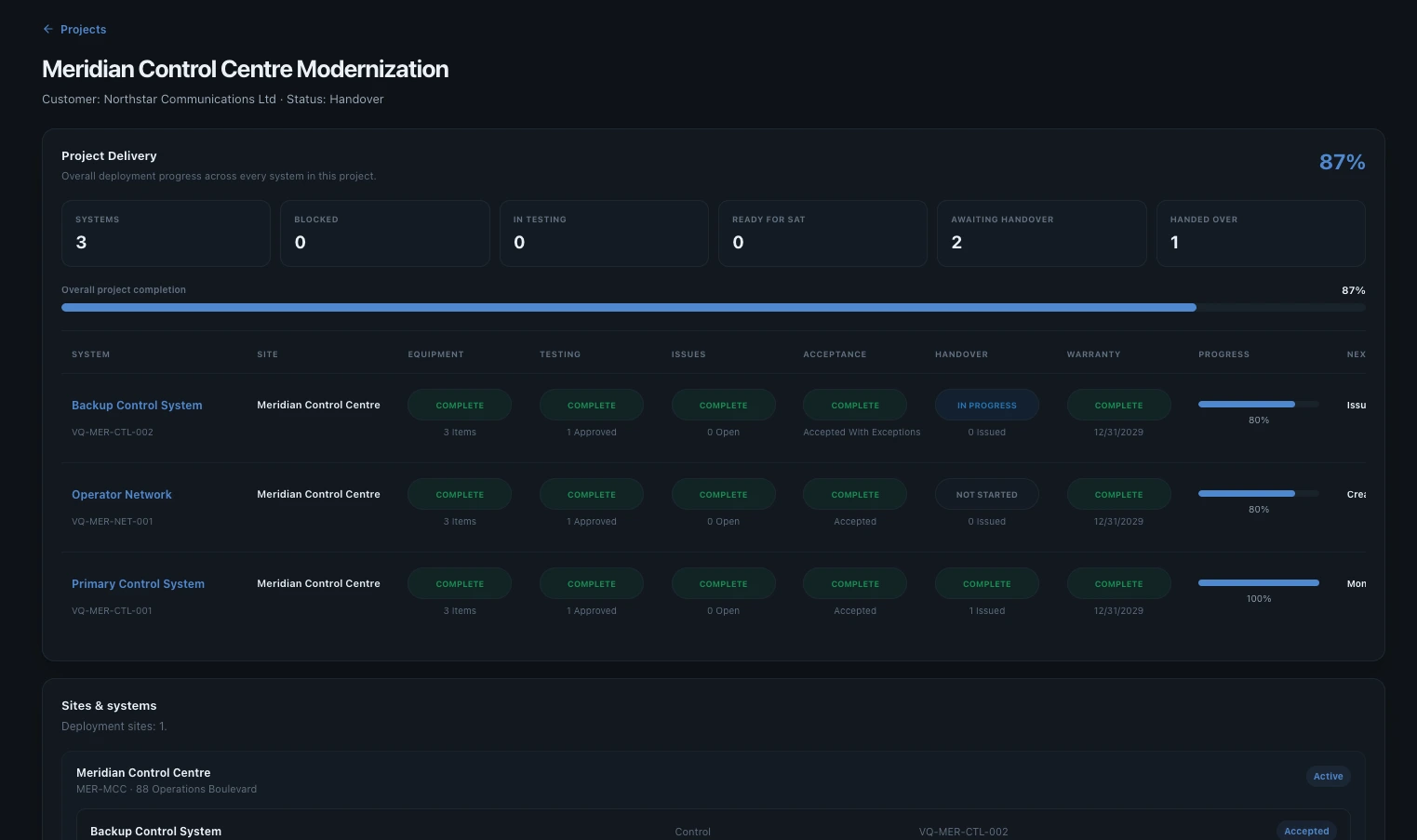
Customer acceptance should confirm readiness, not trigger a last-minute hunt for missing tests, unresolved issues and unsigned documents. When acceptance is treated as a single final event, the project team often discovers too late that the evidence needed to support sign-off is spread across different people, tools and file versions.
Acceptance readiness is cumulative
A customer cannot meaningfully accept a system based only on the final signature page. The decision depends on work completed earlier: equipment was installed, required tests were executed, failures were understood, remediation was completed, retests passed, exceptions were agreed and supporting documents were available.
That means acceptance readiness should be visible before the acceptance meeting. The delivery team should know which systems are ready, which still have blockers and which can proceed with controlled exceptions.
What the customer should be able to review
| Area | Acceptance question |
|---|---|
| System | Is this the correct delivered system and configuration? |
| Testing | Were the agreed FAT, SAT and commissioning activities completed? |
| Failures | What failed and how was it resolved? |
| Retesting | Was corrective work independently demonstrated by a new result? |
| Open issues | Are any remaining items acceptable and clearly owned? |
| Documents | Are the required manuals, drawings and certificates available? |
| Approval | Who reviewed the record and when? |
Exceptions should be explicit
Some projects can be accepted with minor outstanding items. The danger is not the existence of an exception; the danger is an exception that disappears into an email thread or meeting minute. A controlled exception should identify what remains, who owns it, the expected completion date and whether it affects operational use.
Keep approval connected to evidence
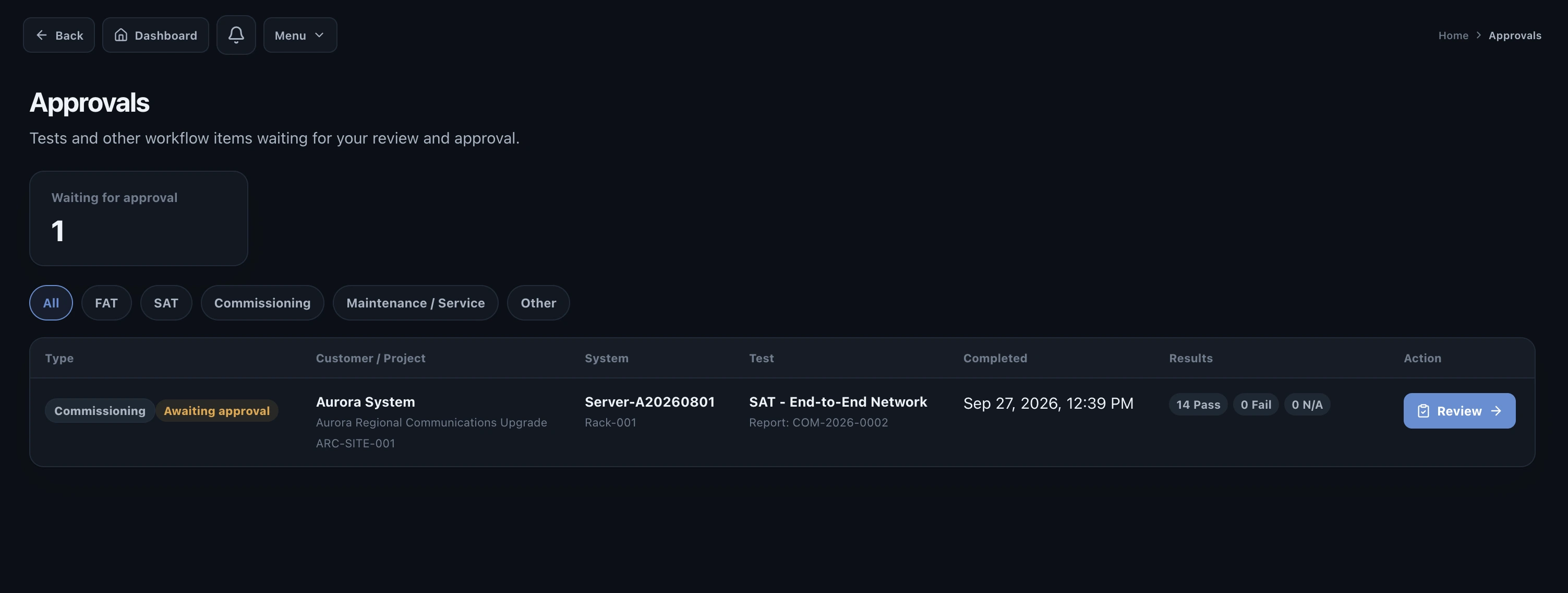
An approval should not be an isolated signature. The approver should be able to see the record being approved and understand whether any failed requirements have been resolved. That makes the approval meaningful and reduces the chance that the project later has to explain why a result was signed despite an unresolved issue.
A practical acceptance workflow
- Confirm technical completion
Required testing and commissioning activities are complete for the system.
- Review issues
Blocking issues are closed and any accepted exceptions are documented.
- Confirm documentation
Required project and system documents are present and in the expected state.
- Present the record
The customer reviews the same controlled operational record used by the delivery team.
- Capture acceptance
Record the decision, approver and date, including any agreed exceptions.
- Complete handover
Use the accepted record as the basis of the final handover package.
How Valtoroq supports acceptance
Valtoroq is designed so acceptance is not a separate spreadsheet or document assembled after the fact. The customer decision sits at the end of a connected workflow that already contains the project, site, system, test history, issues, remediation, approvals and supporting documentation.