
Factory Acceptance Testing verifies the system before shipment or site deployment.
Help / Testing
Run FAT, SAT and commissioning as one controlled test lifecycle.
Valtoroq keeps the test template, system, recorded result, issue history, retest and approval connected so teams can see both what was tested and how failures were resolved.
Choose the right test stage
Site Acceptance Testing verifies the delivered system in its installed environment.
Commissioning verifies final configuration and operational readiness before service or acceptance.
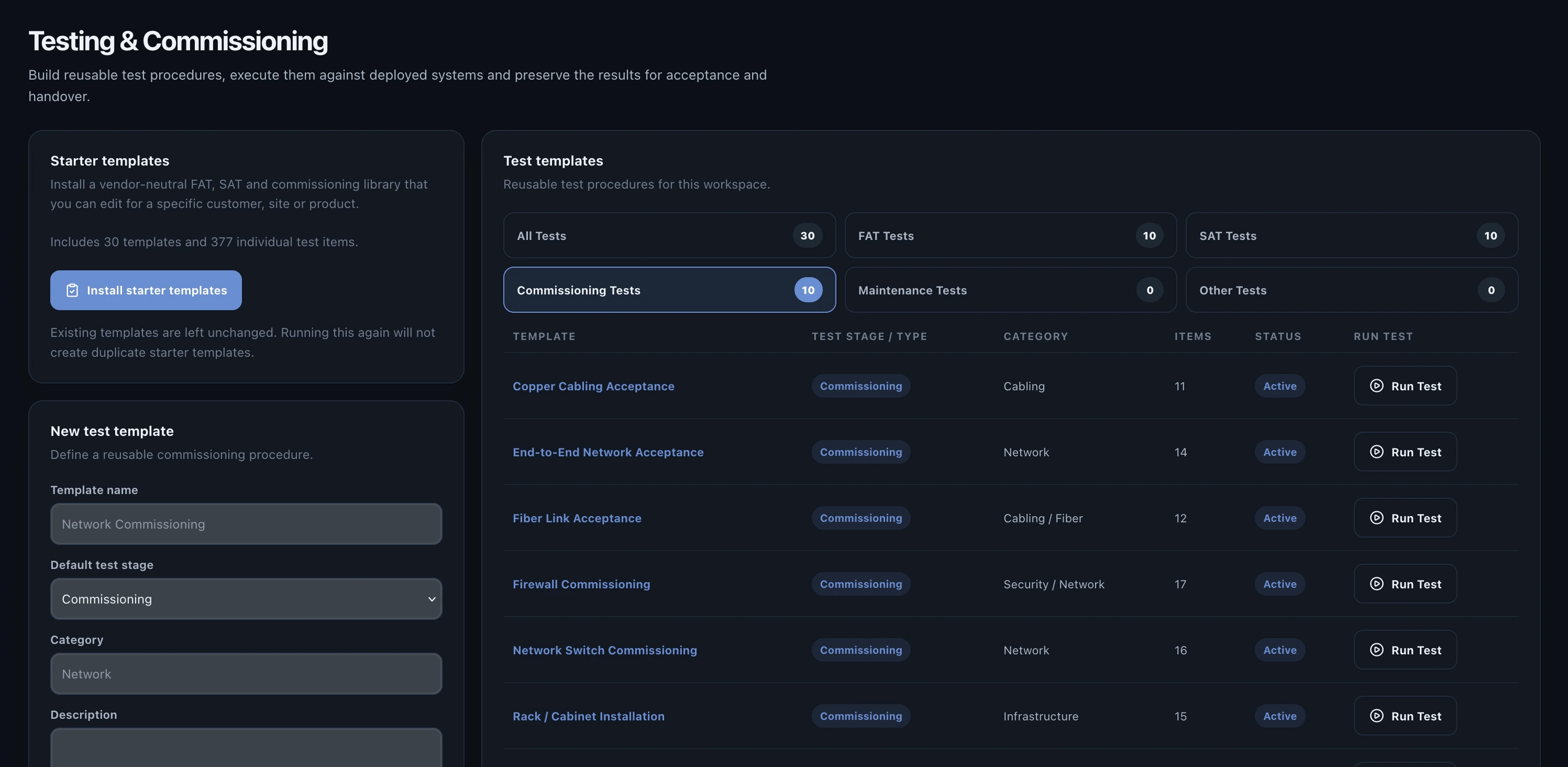
Create or select a template
Use a controlled template when the same procedure is executed repeatedly. Templates can contain sections, test items, expected results and the fields required to record actual performance.
Need to add a large test procedure?
Import a complete reusable test template from CSV instead of creating each test item manually.
Read the CSV test-template import guide →Screenshot neededA test template defines the procedure before execution begins.
Expected file
help-test-template.webpPNG fallback
Save to: public/screenshots/help-test-template.pngExecute the test
- Open the system or testing area and choose the required template.
- Start the test run against the correct project, site and system.
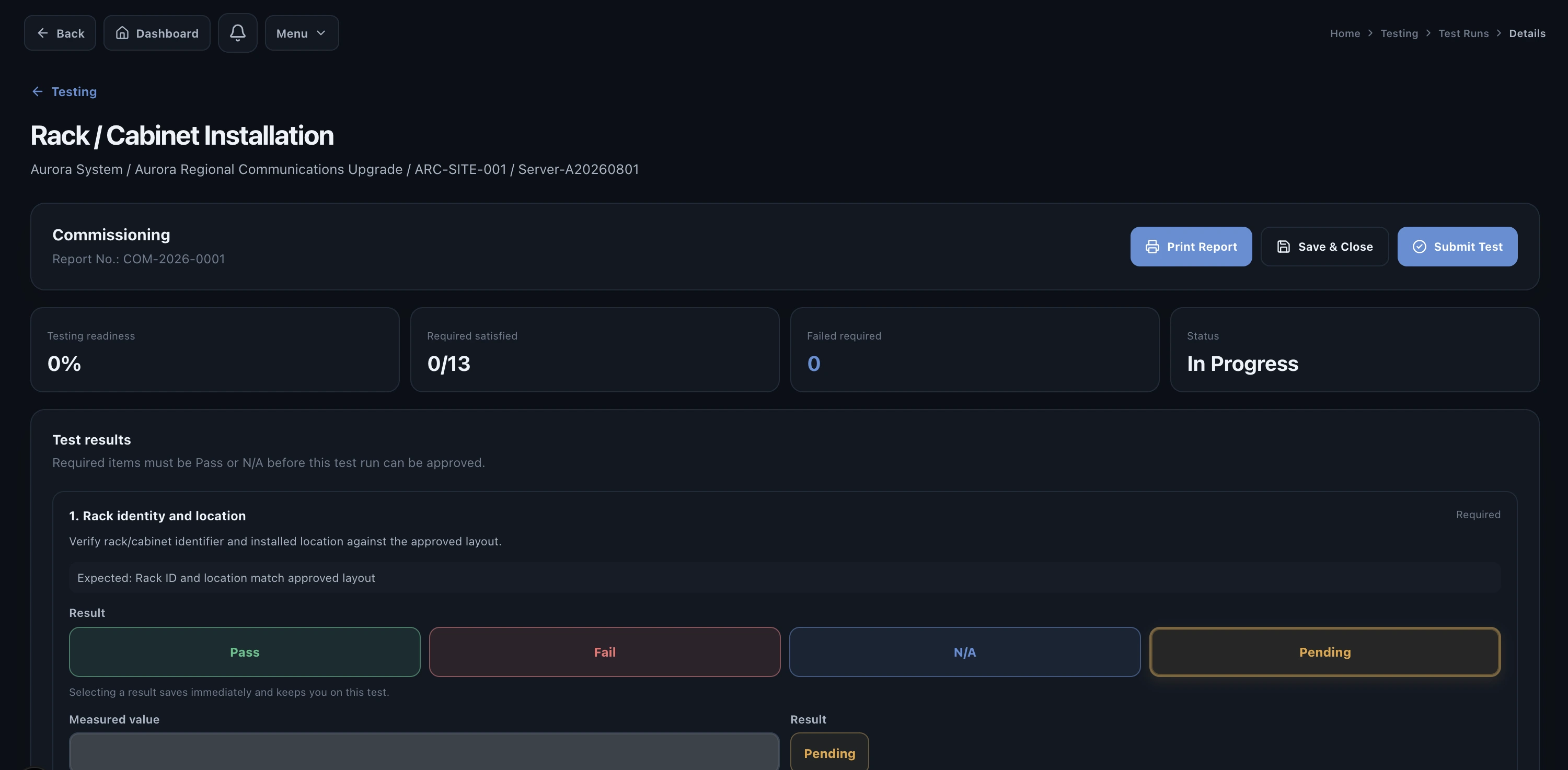
- Record the measured result, observation or evidence for each item.
- Select Pass or Fail. A failure should remain visible until corrective action and retest are complete.
- Use Save & Close when work is incomplete. Use Submit Test when the run is complete and ready to move forward.
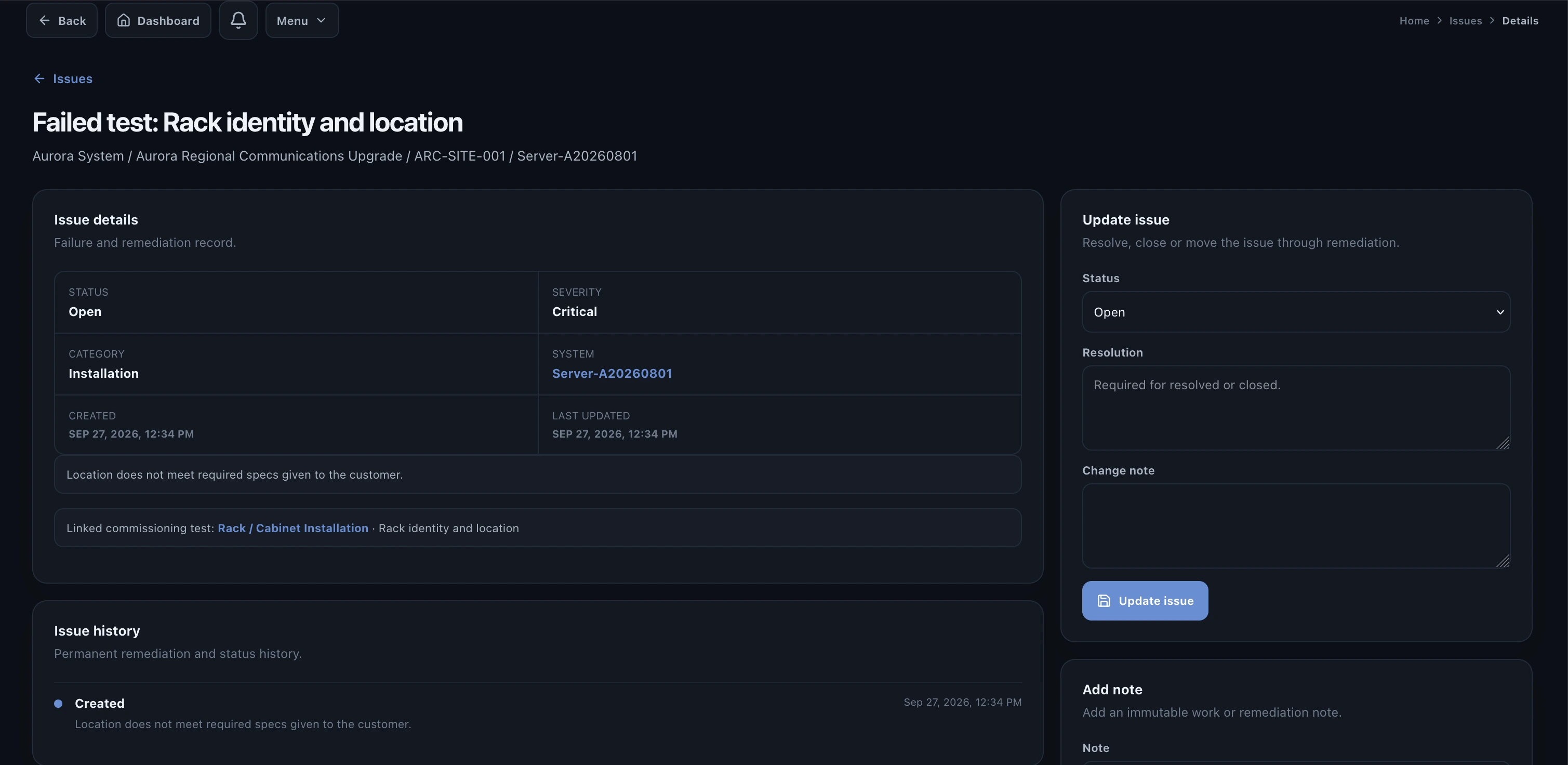
What happens after a failure?
Create or link an issue so the problem has an owner, corrective action and resolution history. After the fix, record the retest against the same operational context.
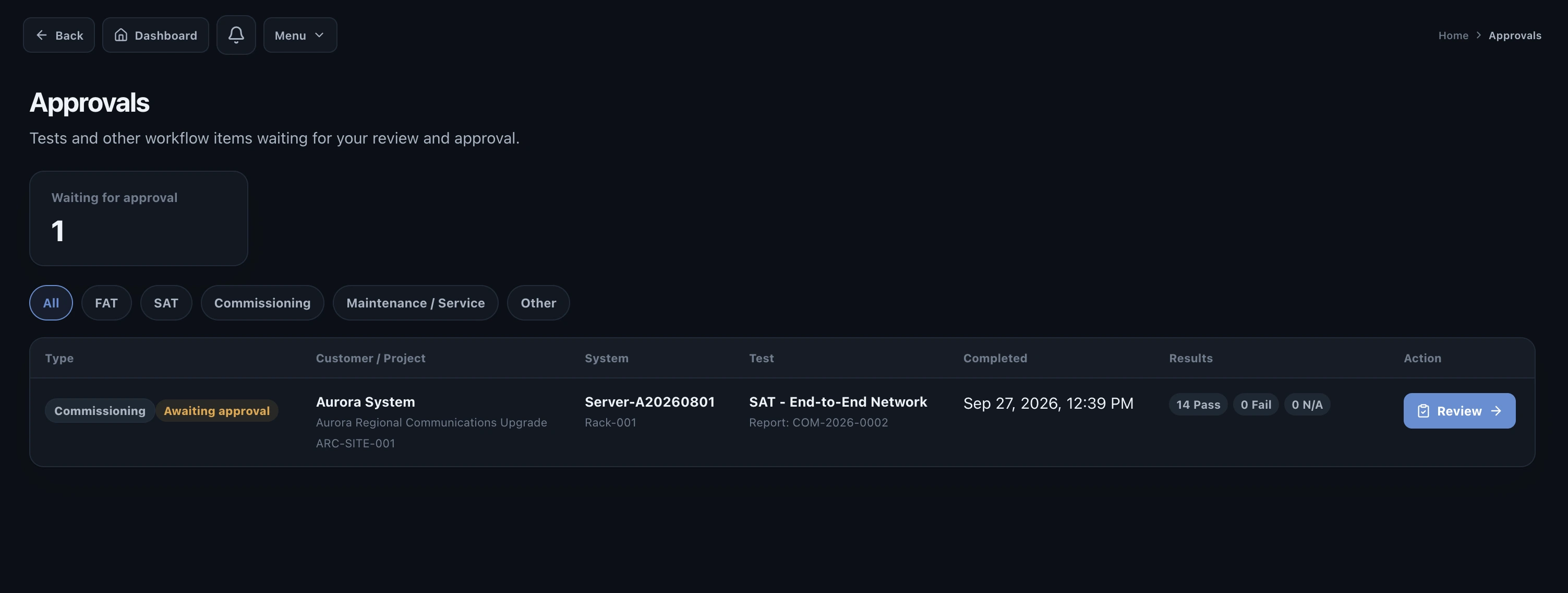
Submit for approval
When the test is complete, submit it to the people authorized to approve it. Approval should happen after failures and required retests are understood, not simply because every field contains a value.
Next guide
For more detail on the corrective-action process, continue to Issues & remediation.
Read Issues & remediation →